
20 AI Tools for Students and Professionals to Boost Productivity in 2026 Leave a comment
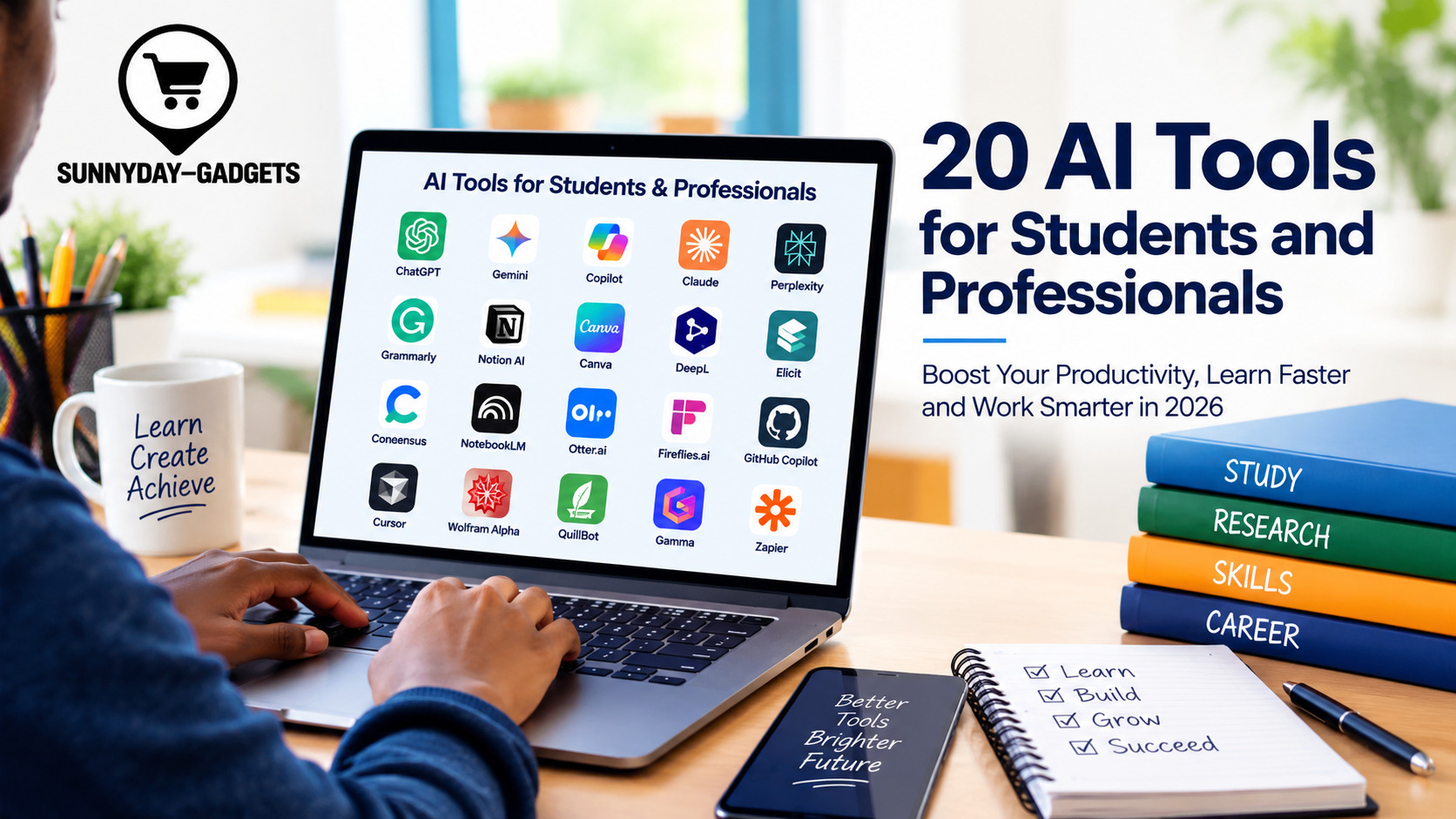
Artificial intelligence (AI) is transforming how students learn, how professionals work and how businesses manage everyday tasks. From writing assignments and conducting research to creating presentations, analysing data and managing projects, AI tools can help people save time and improve productivity.
Students can use AI to understand difficult concepts, organise their studies and prepare for examinations. Professionals can use these technologies to draft documents, automate repetitive tasks, generate ideas and collaborate more efficiently with colleagues.
However, choosing the right tool matters. Some AI applications specialise in writing, while others focus on research, design, coding, meeting notes or project management.
In this article, we explore 20 of the best AI tools for students and professionals in 2026, highlighting their key features and how they can be used effectively.
20 Best AI Tools for Students and Professionals
1. ChatGPT
Best for: Writing, brainstorming, learning and problem-solving.
Developed by OpenAI, ChatGPT is a versatile AI assistant that can explain complex topics, summarise information, draft emails, generate ideas and assist with coding.
Students can use it to understand academic concepts, practise questions and create revision plans. Professionals can use it to prepare reports, develop business strategies, analyse information and improve written communication.
Its usefulness depends on the quality of the instructions provided and the accuracy of the information being reviewed.
2. Google Gemini
Best for: Research assistance, writing and Google Workspace productivity.
Google Gemini can help users brainstorm ideas, summarise information, draft content and work through complex questions. Depending on the account and available integrations, it can also support workflows involving Google services.
Students may use Gemini to explore subjects and organise research, while professionals can use it to prepare documents, analyse information and generate ideas for projects.
3. Microsoft Copilot
Best for: Workplace productivity and Microsoft applications.
Microsoft Copilot assists with writing, summarising, brainstorming and other productivity tasks. Its capabilities vary depending on the version and Microsoft 365 subscription.
Professionals can use compatible Microsoft 365 features to help draft Word documents, analyse Excel data, prepare PowerPoint presentations and summarise information in supported workflows.
Students can also use it for study planning, writing assistance and research support.
4. Claude
Best for: Long documents, writing and detailed analysis.
Claude, developed by Anthropic, is an AI assistant designed to help with writing, reasoning, document analysis and coding.
Students can use it to understand lengthy reading materials, compare arguments and develop essay outlines. Professionals can use it to review reports, structure proposals and analyse complex documents.
Users should verify factual claims and ensure that confidential information is handled according to their organisation’s policies.
5. Perplexity
Best for: Web research and source discovery.
Perplexity is an AI-powered answer and research tool that provides responses supported by links to sources.
It can help students identify relevant references and explore unfamiliar subjects. Professionals can use it to investigate industries, research competitors and gather background information for reports.
Users should open the original sources, assess their reliability and confirm that each citation actually supports the relevant claim.
6. Grammarly
Best for: Grammar, spelling and writing improvement.
Grammarly helps users improve clarity, grammar, punctuation, tone and sentence structure. Its AI features can also assist with rewriting and drafting.
Students can use it to proofread assignments and improve their writing skills. Professionals can use it to refine business emails, proposals, reports and other workplace communications.
It is particularly useful for editing, but it should not replace careful review of meaning, facts and academic requirements.
7. Notion AI
Best for: Notes, knowledge management and project organisation.
Notion AI adds AI-assisted features to the Notion workspace, helping users summarise notes, organise information, draft content and work with their stored knowledge.
Students can organise lecture notes, track assignments and create revision materials. Professionals can use it to maintain project documentation, prepare meeting summaries and manage team knowledge.
Its value is greatest when information is organised consistently within the workspace.
8. Canva Magic Studio
Best for: Graphic design, presentations and visual content.
Canva’s AI-powered features help users create and edit visual content, generate design ideas and develop presentations.
Students can use Canva to produce presentation slides, posters and educational infographics. Professionals can use it for marketing graphics, social media posts, reports and business presentations.
Users should review generated visuals and check the licensing terms for assets used in commercial projects.
9. DeepL
Best for: Translation and multilingual communication.
DeepL offers AI-powered translation and writing assistance for supported languages.
Students can use it to understand foreign-language materials and improve translations. Professionals can use it to communicate with international clients, translate business documents and prepare multilingual content.
Translations involving legal, medical or other sensitive material should receive appropriate expert review.
10. Elicit
Best for: Academic research and literature reviews.
Elicit is an AI research tool designed to help users discover academic papers and extract relevant information from research literature.
Students and researchers can use it to identify studies, compare findings and organise evidence for literature reviews.
It can reduce the time spent searching through papers, but it does not replace reading important studies, assessing research quality or checking conclusions against the original publications.
11. Consensus
Best for: Research questions supported by scientific studies.
Consensus helps users explore questions using scientific research papers. It is particularly useful when looking for published evidence on a topic.
Students can use it to investigate research questions and locate relevant studies. Professionals can use it to explore evidence-based questions and identify publications worth reviewing.
The results should be interpreted carefully because individual studies may have limitations or reach different conclusions.
12. NotebookLM
Best for: Studying and analysing supplied documents.
Google’s NotebookLM helps users work with source materials they provide, such as supported documents and notes. Depending on current features, it can generate summaries, answer questions about sources and create study-oriented outputs.
Students can use it to revise lecture materials, explore textbook chapters and generate study guides. Professionals can use it to review reports, organise project documentation and extract key points from supplied sources.
Its source-focused approach can be helpful, although generated answers still require verification.
13. Otter.ai
Best for: Meeting transcription and notes.
Otter.ai provides AI-assisted transcription and meeting documentation features.
Students can use it to review permitted lecture recordings and identify important discussion points. Professionals can use it to document meetings, capture decisions and create summaries.
Always obtain any required consent before recording conversations, and follow applicable privacy laws and institutional policies.
14. Fireflies.ai
Best for: Meeting summaries and action items.
Fireflies.ai helps users record or transcribe supported meetings, search conversations and extract summaries or action items.
Professionals can use it to track decisions, identify follow-up tasks and reduce manual note-taking. Students working on group projects may use similar features to document discussions where recording is permitted.
Users should carefully review generated summaries and action items before sharing them.
15. GitHub Copilot
Best for: Software development and coding assistance.
GitHub Copilot assists developers by suggesting code, explaining programming concepts and supporting software development workflows.
Computer science students can use it to learn coding patterns and experiment with programming tasks. Professionals can use it to speed up development, generate tests and understand unfamiliar code.
Generated code must be reviewed for correctness, security vulnerabilities, licensing concerns and compatibility with the project.
16. Cursor
Best for: AI-assisted coding and software projects.
Cursor is an AI-powered code editor that helps developers understand codebases, generate code and make changes across projects.
Students can use it to practise programming and build projects. Professionals can use it to explore existing applications, debug problems and accelerate development.
As with other coding assistants, developers should inspect changes, run tests and avoid exposing secrets or proprietary code without authorisation.
17. Wolfram Alpha
Best for: Mathematics, calculations and technical subjects.
Wolfram Alpha is a computational knowledge engine that can solve many mathematical problems and provide computational results.
Students can use it to explore equations, calculus, statistics and other technical subjects. Professionals can use it for calculations, data-related questions and technical problem-solving.
It is most valuable as a learning aid when users study the methods behind the results rather than simply copying answers.
18. QuillBot
Best for: Paraphrasing, summarising and editing.
QuillBot offers writing tools that can help users rephrase sentences, summarise material and improve clarity.
Students can use it to revise their own writing and make difficult passages easier to understand. Professionals can use it to edit drafts, shorten documents and explore alternative wording.
Paraphrasing does not remove the need to cite original ideas or sources, and students should follow their institution’s rules on AI assistance.
19. Gamma
Best for: AI-assisted presentations and documents.
Gamma helps users create presentations and other visual documents from prompts or existing content.
Students can use it to prepare classroom presentations and project summaries. Professionals can use it to develop proposals, pitch decks and internal business presentations.
Before presenting the final output, users should verify facts, refine the structure and ensure the design fits the intended audience.
20. Zapier
Best for: Workflow automation.
Zapier connects supported applications and automates repetitive tasks, with AI-assisted features available in relevant workflows.
Students can use automation to organise certain administrative tasks and notifications. Professionals can connect business applications to automate processes such as transferring form responses, routing information and generating task reminders.
Automation should be tested carefully, especially when workflows involve customer information, payments or other sensitive data.
How to Choose the Right AI Tool
With so many options available, choosing the right AI application depends on your goals, budget and working environment.
Consider the following factors before signing up:
- Purpose: Choose a tool that addresses a specific need, such as writing, research, design, coding or meeting documentation.
- Cost: Check free-plan limitations, paid subscription fees and usage restrictions.
- Ease of use: Select an application that fits your existing workflow and technical skills.
- Accuracy: Check whether the tool provides reliable information and allows you to verify its sources.
- Privacy and security: Review how uploaded files, prompts and personal information are handled.
- Integration: Consider whether the application works with the software you already use.
- Academic or workplace rules: Confirm that the tool’s use complies with relevant policies and professional obligations.
You do not need all 20 tools. Starting with two or three that address your most important tasks is often more practical than subscribing to numerous services at once.
Benefits of AI Tools for Students
AI tools can support students in several ways.
Personalised learning: AI assistants can explain difficult concepts in different ways and generate practice questions.
Better organisation: Note-taking and planning applications can help students manage deadlines, lectures and assignments.
Research support: Academic research tools can help identify papers and organise information for further investigation.
Writing improvement: Editing applications can help students identify grammatical errors and improve clarity.
Technical skill development: Coding and mathematical tools can provide examples and explanations that support independent learning.
However, students should use AI to strengthen their understanding rather than replace their own thinking. Submitting generated work as original work without permission or proper disclosure may violate academic integrity rules.
Benefits of AI Tools for Professionals
Professionals can also use AI applications to improve their daily workflows.
Higher productivity: AI can help with first drafts, summaries, routine documentation and repetitive tasks.
Improved communication: Writing assistants can help refine emails, proposals and reports.
Better research: Search and research applications can help professionals explore industries, competitors and emerging developments.
Creative support: Design and presentation tools can speed up the creation of marketing materials and business documents.
Workflow automation: Automation platforms can reduce repetitive administrative work and connect supported business applications.
AI outputs should still be reviewed by qualified people, especially when they influence financial decisions, legal obligations, hiring, security or customer relationships.
Are AI Tools Free to Use?
Some AI tools offer free plans, while others require subscriptions for advanced features, higher usage limits or team collaboration.
The availability of free features can change, so users should check official pricing pages before committing to a service. Students should also check whether their educational institution provides access to premium applications.
For beginners, free versions may be sufficient to explore different tools and identify which ones deliver practical value.
Responsible and Safe Use of AI
Although AI offers substantial opportunities, users should be aware of its limitations.
AI systems can produce inaccurate information, misleading citations or outdated answers. Generated text may also contain unintentional bias, while uploaded documents can expose sensitive information if handled improperly.
To use AI responsibly:
- Verify important claims using trustworthy original sources.
- Avoid uploading confidential, personal or sensitive data unless the tool and use are properly authorized.
- Follow academic integrity requirements and workplace policies.
- Review generated content for accuracy, originality and appropriateness.
- Use human judgement for important decisions.
- Check licensing, copyright and data-handling terms when publishing or sharing generated content.
The goal should be to use AI as an assistant that strengthens human skills, not as a substitute for responsibility or critical thinking.
Conclusion
The best AI tools for students and professionals can make learning, research, writing, software development and everyday work more efficient. Applications such as ChatGPT, Gemini, Microsoft Copilot, Perplexity, Canva, NotebookLM and GitHub Copilot serve different needs, from understanding difficult subjects to creating presentations and developing software.
The right choice depends on the task, available budget, privacy requirements and expected results. Rather than adopting every new application, start with a small selection, test how well each tool performs and measure the time or effort it saves.
Used thoughtfully, AI can help students become more independent learners and enable professionals to spend more time on meaningful work, creative thinking and informed decision-making.
https://www.kaishclasses.com/blog/top-ai-tools-for-students-professionals-2026
