
7 Warning Signs Your Phone May Be Hacked — And How to Protect It Leave a comment
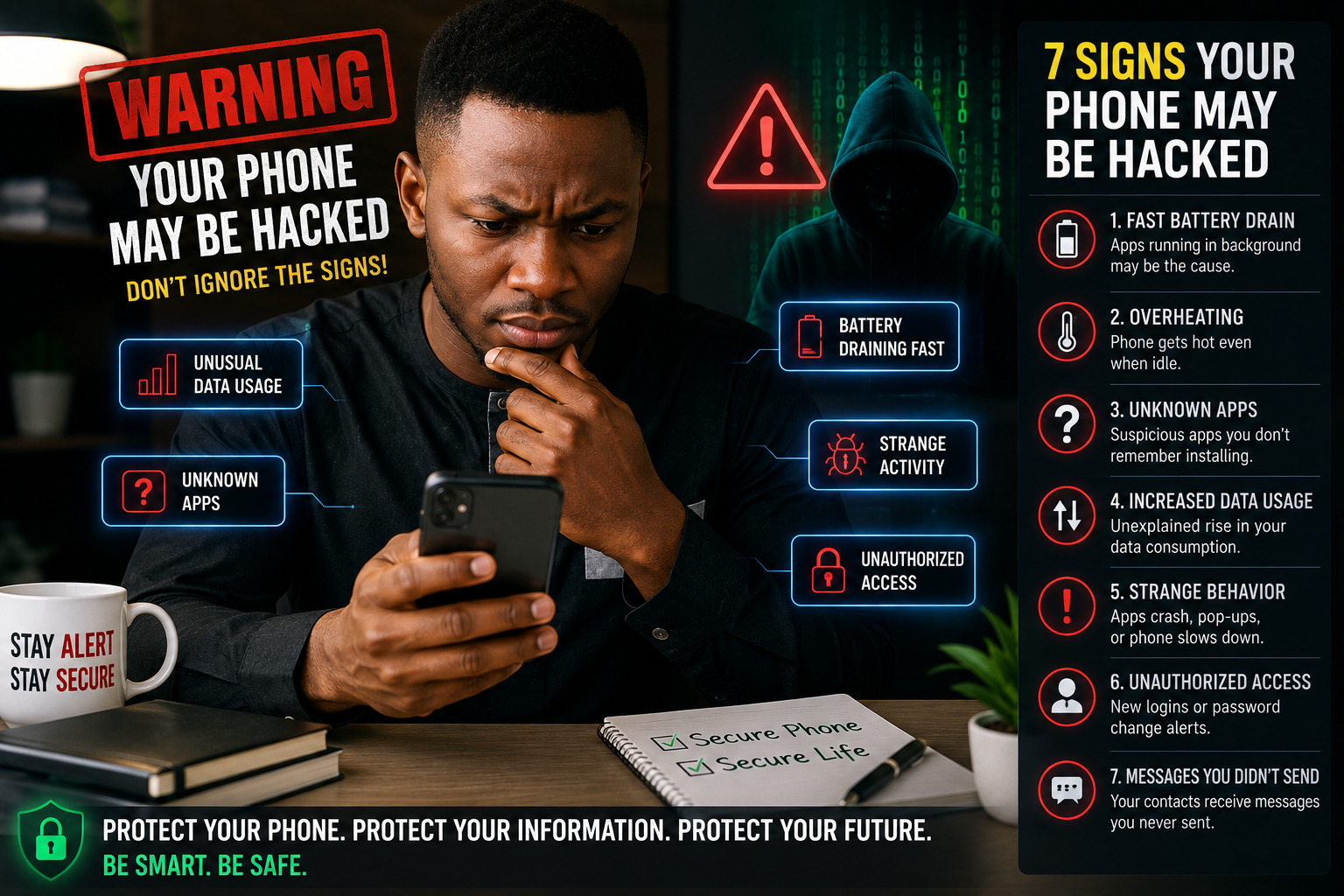
Your smartphone is one of the most important pieces of technology you own. It stores private conversations, photographs, emails, passwords, financial information, social-media accounts and other sensitive data.
Because of this, smartphones are attractive targets for cybercriminals. A compromised phone can potentially expose personal information, enable account takeovers or become a gateway to financial fraud.
The good news is that there are often warning signs your phone may be hacked. Recognizing unusual behavior early can help you take action before the situation becomes more serious.
Important: None of these signs alone proves that your phone has been hacked. Battery problems, software bugs, aging hardware and poorly optimized apps can cause similar symptoms. Look for unusual or unexplained patterns.
1. Your Battery Is Suddenly Draining Faster
If your smartphone battery that normally lasts all day suddenly starts running down within a few hours, investigate what is consuming power.
A malicious or poorly designed application running continuously in the background can contribute to excessive battery usage. However, an aging battery, high screen brightness, GPS, video streaming and recent software updates can also cause rapid battery drain.
What you should do
Open your phone’s battery settings and check which applications are consuming the most power.
Pay particular attention to apps you:
- Don’t recognize
- Rarely use
- Recently installed
- Don’t remember giving permission to run in the background
If an unfamiliar application is consuming significant resources, investigate it before allowing it to continue running.
2. Your Phone Gets Hot When You’re Not Using It
Smartphones naturally become warm when performing demanding tasks such as gaming, video recording, navigation or charging.
But persistent unexplained overheating while the phone is idle is worth investigating.
Background applications can consume processing power and network resources. Malware can also potentially perform activities without the user’s knowledge.
However, don’t immediately conclude that overheating means your phone has been hacked. A damaged battery, demanding app or charging problem could be responsible.
Try this
Restart your smartphone and monitor its temperature. Then check battery usage and recently installed applications.
If overheating continues, particularly while the phone is doing very little, consider having the device examined by a qualified technician.
3. You Find Apps You Didn’t Install
One of the more noticeable signs your phone is hacked is discovering unfamiliar applications.
Not every unknown application is malicious. Some phones come with manufacturer, carrier or system applications that users may not recognize.
Nevertheless, investigate apps you don’t remember installing.
Check:
- The application’s name
- Developer
- Permissions
- Installation history
- Battery usage
- Data usage
- Where the app came from
Android users should be particularly careful when installing applications from outside official app stores. Google warns that apps from unknown sources can put your device and personal information at risk. https://support.google.com/android/answer/9457058?
Google Play Protect also scans applications for potentially harmful behavior and can warn users or remove harmful apps. https://support.google.com/googleplay/answer/2812853?hl=en-
Google Play Protect security guide
4. Your Mobile Data Usage Suddenly Increases
Have you started buying mobile data more frequently without changing how you use your phone?
Unexpected data consumption can be another reason to investigate.
Some malicious applications may communicate with external servers or transfer information in the background. At the same time, legitimate activities such as automatic photo backups, video streaming, social media and app updates can also consume large amounts of data.
Check your data usage
Go to your phone’s mobile-data settings and identify the applications using the most data.
Look for:
- Unknown apps
- Excessive background data
- Applications you rarely use
- Sudden changes in data consumption
If a suspicious application is responsible, restrict its background data or remove it if appropriate.
5. Your Phone Starts Acting Strangely
Another potential phone hacking warning sign is unusual behavior that you can’t explain.
Examples include:
- Apps opening by themselves
- Frequent crashes
- Strange pop-ups
- Your browser redirecting to unfamiliar websites
- Settings changing unexpectedly
- Your phone becoming unusually slow
- Messages appearing that you didn’t send
- Unexpected permissions being requested
A single incident doesn’t necessarily mean your phone has been compromised. Software bugs and hardware problems can cause similar behavior.
However, several unusual symptoms appearing together should prompt a security check.
6. You Receive Alerts About Unfamiliar Account Logins
Sometimes the first indication that something is wrong isn’t your phone itself—it’s one of your online accounts.
You may receive an alert saying that someone has:
- Logged into your account
- Changed your password
- Requested a password reset
- Added a new device
- Changed account-recovery information
- Sent messages you didn’t send
This is particularly important because Nigerian smartphone users increasingly rely on their phones for banking, digital payments, email, WhatsApp and social media.
If you receive an unexpected security notification, don’t ignore it.
Take action immediately
Change the affected password using a trusted device and enable two-factor authentication.
Also review the account’s active sessions and remove devices you don’t recognize.
7. Your Friends Receive Messages You Never Sent
Imagine a friend contacts you and says:
“Why did you send me this strange link?”
You check your messaging or social-media account and discover that you didn’t send it.
This could be a sign that your account has been compromised.
Cybercriminals can use compromised messaging accounts to send phishing links, scams or malicious files to the victim’s contacts. Because the message appears to come from someone they trust, recipients may be more likely to click it.
For WhatsApp users, regularly checking Linked Devices is especially important. WhatsApp allows accounts to be linked to other devices, and users can review those connections.
WhatsApp Help Center — Linked Devices
What to Do If You Think Your Phone Has Been Hacked
If you notice several of these warning signs, don’t panic. Take the following steps.
1. Disconnect temporarily
If you suspect malicious activity, temporarily turn off Wi-Fi and mobile data while you investigate.
2. Remove suspicious applications
Delete applications you don’t recognize or no longer need, especially those installed shortly before the suspicious behavior began.
3. Update your phone
Install the latest operating-system and security updates available for your device. Security updates can contain important protections against known vulnerabilities. The FTC also recommends keeping smartphone software and apps updated.
FTC — How to Protect Your Phone From Hackers
4. Change your important passwords
Prioritize accounts such as:
- Google or Apple account
- Banking
- Cloud storage
Use unique passwords rather than using one password everywhere.
5. Enable two-factor authentication
Two-factor authentication adds another layer of protection if your password is stolen.
WhatsApp, for example, provides an optional two-step verification feature to help protect accounts against unauthorized access.
WhatsApp — Two-Step Verification
6. Scan your device
Android users can use Google Play Protect to scan installed applications for potentially harmful software. Google says Play Protect periodically scans devices and can warn about, disable or remove harmful apps.
Google — Remove malware or unsafe software from Android
7. Contact your bank if necessary
If you suspect your banking credentials or financial information may have been exposed, contact your bank immediately using an official phone number, website or mobile app.
Don’t wait for an unauthorized transaction before taking action.
8. Consider a factory reset
If your phone continues behaving suspiciously and you cannot identify the cause, a factory reset may be appropriate.
Before doing this, make sure important photographs, contacts, documents and other information are safely backed up.
How to Prevent Your Phone From Being Hacked
You don’t have to be a cybersecurity expert to significantly improve your smartphone security.
Keep your phone updated
Install operating-system and application updates promptly.
Download apps carefully
Stick to reputable app stores and avoid installing applications from suspicious links or unknown websites.
Use a strong screen lock
Protect your phone with a strong PIN, password or biometric authentication. The FTC recommends locking your phone when it isn’t being used. https://consumer.ftc.gov/articles/how-protect-your-phone-hackers?
Enable two-factor authentication
Use 2FA on important accounts whenever it is available.
Don’t share verification codes
Never give OTPs, verification codes or account recovery codes to someone who contacts you unexpectedly.
Review app permissions
Check which applications can access your:
- Camera
- Microphone
- Location
- Contacts
- Photos
- Files
- SMS
Remove permissions that aren’t necessary.
Be careful with links
Don’t automatically trust links received through WhatsApp, SMS, email or social media—even if they appear to come from someone you know.
Final Thoughts
Knowing the warning signs your phone may be hacked can help you respond quickly to suspicious activity.
Rapid battery drain, overheating, unfamiliar apps, unusual data consumption, strange phone behavior, unexpected account-login alerts and messages you didn’t send can all be reasons to investigate. But remember that these symptoms can have many non-security-related causes.
The most important thing is to look for multiple unexplained warning signs and take sensible security measures.
Keep your smartphone updated, install applications carefully, protect your accounts with strong passwords and two-factor authentication, and regularly review the devices connected to important accounts.
Your phone contains your digital life. Protect it like you would protect your wallet. Threat & Vulnerability Assessment Basics: A Beginner’s Guide for Businesses
