
Top Gadgets for Students in 2026: Affordable & Useful Tech for School and University Leave a comment
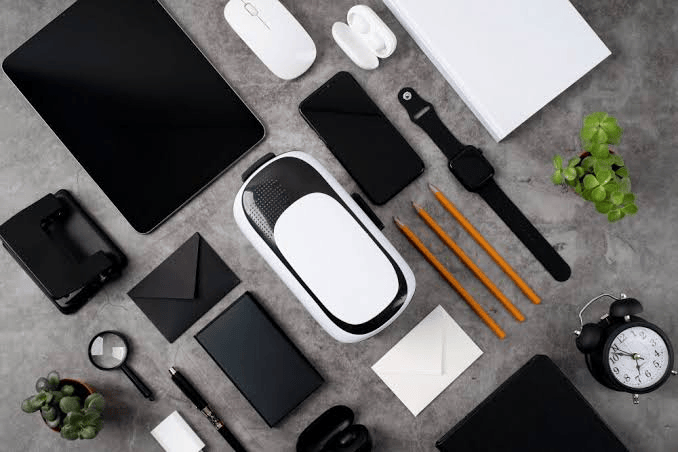
Technology has become an important part of modern education. From researching assignments and attending online classes to storing lecture materials and staying connected with classmates, the right gadgets can make student life easier.
However, students don’t need to spend a fortune on expensive flagship devices. The best student gadgets are those that solve everyday problems, last long and provide genuine value for money.
For Nigerian students in particular, factors such as power supply, portability, durability, battery life and affordability should influence purchasing decisions. Recent Nigerian student-tech guides similarly emphasize practical accessories such as power banks, earbuds, storage devices and rechargeable lighting.
Here are some of the top affordable and useful gadgets for students in 2026.
1. Affordable Laptop
A laptop remains one of the most useful gadgets a student can own.
While smartphones are excellent for communication and quick research, writing long assignments, preparing presentations, programming, editing documents and conducting serious research are considerably easier on a laptop.
What to look for
For basic student work, consider:
- Intel Core i3/Core i5 or AMD Ryzen 3/Ryzen 5
- At least 8GB RAM where possible
- 256GB SSD or larger
- Good battery life
- Wi-Fi and Bluetooth
- A comfortable keyboard
- USB ports and, preferably, USB-C
Students studying engineering, architecture, computer science, media or other demanding courses may need more powerful hardware.
Money-saving tip: A quality refurbished business laptop from Lenovo, HP or Dell can sometimes provide better value than a brand-new entry-level laptop.
2. 10,000mAh or 20,000mAh Power Bank
For students in Nigeria, a reliable power bank is more than a convenience—it can be essential.
A power bank can keep your smartphone alive during lectures, examinations, travel, research sessions and power outages. Nigerian student-focused guides commonly recommend 10,000mAh for lighter users and 20,000mAh for students who spend long days away from reliable power.
What to look for
Choose one with:
- 10,000mAh minimum
- 20,000mAh if you use your phone heavily
- USB-C input/output
- Fast charging
- Multiple charging ports
- Battery safety protections
- A reputable brand and seller
Avoid suspiciously cheap power banks claiming extremely high capacities. A genuine lower-capacity power bank is better than a fake high-capacity product.
3. Wireless Earbuds or Headphones
Wireless earbuds can be extremely useful for students.
They are useful for:
- Online lectures
- Recorded lectures
- Audiobooks
- Language learning
- Phone calls
- Music during breaks
- Studying in noisy environments
Recent student gadget guides continue to highlight headphones and earbuds as useful budget accessories, particularly for focus and online learning.
Buying tip
Don’t choose earbuds based only on bass or appearance. Pay attention to:
- Battery life
- Microphone quality
- Comfort
- Bluetooth stability
- Charging case
- Noise isolation or noise cancellation
- Warranty
For students on a tight budget, a good pair of wired earphones can still be an excellent option.
4. USB Flash Drive
A flash drive remains useful even in the age of cloud storage.
Students frequently need to move:
- Assignments
- PowerPoint presentations
- PDFs
- Lecture materials
- Projects
- Videos
- Software installers
A 64GB or 128GB flash drive can provide plenty of space for everyday academic files.
For important assignments and projects, however, don’t rely on a flash drive alone. Keep another copy in Google Drive, OneDrive or another cloud-storage service.
5. External SSD
If your budget allows, an external SSD is an excellent investment for students who handle large amounts of data.
It can be particularly useful for:
- Computer science students
- Architecture students
- Engineering students
- Photography students
- Video editors
- Graphic designers
- Media students
An SSD is generally faster than a traditional external hard drive and is easier to carry around.
Modern student-tech recommendations also include external storage as a practical way to maintain local backups of important academic files.
6. USB-C Hub
Modern laptops and tablets increasingly rely on USB-C ports.
A small USB-C hub can turn one port into several useful connections, including:
- USB-A
- HDMI
- SD card
- MicroSD
- USB-C charging
- Ethernet, depending on the model
This is particularly useful when connecting a laptop to a projector for presentations or transferring files from memory cards.
Tip: Check your laptop’s specifications before buying. Not every USB-C port supports video output or charging.
7. Wireless Mouse
A wireless mouse may seem simple, but it can significantly improve productivity.
It is particularly useful for students who spend several hours:
- Writing assignments
- Designing presentations
- Programming
- Editing photos
- Working with spreadsheets
- Browsing research materials
A basic wireless mouse doesn’t need to be expensive. Prioritize comfort, battery life and reliable connectivity.
PCWorld’s recent student accessory recommendations also include budget wireless mice as useful productivity upgrades.
8. Rechargeable LED Study Lamp
A rechargeable study lamp is another particularly practical gadget for students.
It can provide lighting when:
- Electricity goes off
- You’re studying late at night
- Your room has poor lighting
- You don’t want to illuminate the entire room
Look for a model with:
- Rechargeable battery
- Adjustable brightness
- Multiple brightness levels
- Flexible neck or adjustable angle
- USB charging
Some models also include USB ports for charging a smartphone.
9. Laptop Stand
Students who spend hours working on laptops should consider a laptop stand.
A stand can raise the screen to a more comfortable viewing position and help create a better desk setup. Recent laptop-accessory guides specifically recommend adjustable laptop stands as inexpensive productivity and ergonomic accessories.
For an even better setup, combine the stand with a wireless keyboard and mouse.
10. Smartphone
A smartphone is practically an essential academic tool.
Students can use it to:
- Access online learning platforms
- Read PDFs
- Record lectures
- Scan documents
- Join WhatsApp or Telegram class groups
- Check school portals
- Research topics
- Attend online meetings
- Use educational applications
You don’t necessarily need an expensive flagship phone.
For students, battery life, storage, camera quality, software support and durability are often more important than having the newest processor.
11. Rechargeable Mini Fan
For students living in hostels or areas where electricity can be unreliable, a rechargeable mini fan can be surprisingly useful.
A portable fan can help during:
- Hot nights
- Power outages
- Reading sessions
- Travelling
- Outdoor study
Choose one with a decent battery, multiple speed settings and a sturdy design.
12. Smartwatch or Fitness Band
A smartwatch isn’t essential for studying, but an affordable fitness band can provide useful features.
Depending on the model, students can get:
- Alarm reminders
- Notifications
- Step tracking
- Sleep tracking
- Exercise monitoring
- Basic health metrics
The key is not to overspend. A student doesn’t need a ₦500,000 smartwatch simply to receive notifications and set alarms.
13. Bluetooth Keyboard
A Bluetooth keyboard is particularly useful if you use a tablet or smartphone for schoolwork.
Instead of typing long assignments on a touchscreen, you can connect a keyboard and get a more traditional typing experience.
This can be a cost-effective way to make a tablet more useful for:
- Assignments
- Emails
- Research
- Note-taking
- Online classes
Recent student accessory guides also highlight wireless keyboards as useful productivity tools.
14. Surge Protector or Quality Extension Board
Students often have multiple devices that need charging simultaneously.
A quality extension board can provide additional outlets for:
- Laptop chargers
- Phone chargers
- Lamps
- Fans
- Routers
- Speakers
Choose a properly rated product from a reputable manufacturer rather than an extremely cheap extension cable.
Where available, surge protection is an additional benefit for protecting electronics from electrical fluctuations.
15. Portable Wi-Fi Router or MiFi
Internet access is increasingly important for education.
A MiFi can provide internet access when students need to:
- Download lecture materials
- Attend virtual classes
- Submit assignments
- Research online
- Access school portals
Before buying one, compare the network coverage and data costs available in your area. A great MiFi is not particularly useful if the network has poor coverage where you study.
Best Gadgets by Student Budget
You don’t have to buy everything at once. Start with the gadgets that solve your biggest problems.
| Budget | Gadgets to Prioritize |
|---|---|
| Under ₦20,000 | Flash drive, wired earphones, rechargeable lamp, basic mouse |
| ₦20,000–₦50,000 | Power bank, wireless earbuds, keyboard/mouse, rechargeable fan |
| ₦50,000–₦100,000 | Better power bank, SSD, MiFi, quality headphones, tablet accessories |
| ₦100,000+ | Tablet, refurbished laptop, premium accessories |
Note: Prices for electronics in Nigeria change frequently, so these are budget categories rather than fixed current prices.
How to Choose Gadgets on a Student Budget
1. Buy for usefulness, not trends
Don’t buy a gadget simply because it is popular on TikTok or Instagram.
Ask yourself:
“Will this make studying, communication or daily campus life easier?”
If the answer is no, save your money.
2. Prioritize battery life
For Nigerian students, battery life can be particularly important because access to electricity can vary significantly between campuses and accommodation.
3. Avoid fake products
Be careful with extremely cheap:
- Power banks
- Memory cards
- Flash drives
- Chargers
- Earbuds
Check the seller, warranty, packaging and product specifications.
4. Protect your gadgets
A laptop sleeve, phone case and screen protector may not be exciting purchases, but they can save you significant repair or replacement costs.
5. Don’t forget backups
Your laptop can fail. Your phone can be lost. A flash drive can become corrupted.
Keep important academic files in at least two locations, such as your laptop plus cloud storage.
Final Verdict: Which Gadgets Should Students Buy First?
If you’re working with a limited budget, don’t try to build an expensive tech setup immediately.
My recommended priority order is:
1. Smartphone → 2. Power bank → 3. Laptop → 4. Earbuds/headphones → 5. Flash drive/SSD → 6. Rechargeable lamp → 7. Mouse/keyboard → 8. USB-C hub → 9. MiFi → 10. Other convenience gadgets.
The best student gadget isn’t necessarily the most expensive one. It’s the device that solves a real problem, saves time, survives everyday use and gives you good value for your money.
For Nigerian students especially, a reliable power bank, affordable laptop, good audio device, backup storage and dependable internet connection can make a much bigger difference to academic life than buying flashy gadgets simply for status. Recent 2026 student-tech roundups similarly emphasize practical accessories, portability, productivity and budget-conscious purchases.
